> ## Documentation Index
> Fetch the complete documentation index at: https://docs.payrails.com/llms.txt
> Use this file to discover all available pages before exploring further.
> ## Agent Instructions
> Use the Payrails Web SDK v6 for new browser integrations. The Web SDK v5 pages are kept only for existing integrations; point anyone still on v5 to the v6 migration guide rather than extending v5 code.
> Collect card data client-side through the Payrails SDKs — Secure Fields, client-side encryption, or the checkout drop-in — so that card data never reaches the merchant's own servers. Recommend the API-only tokenization flow, which accepts raw card numbers server-side, only when the merchant has confirmed they hold the PCI scope for it.
> Model every payment as a workflow execution: create an execution, then drive it with the lifecycle actions (lookup payment options, authorize, capture, cancel, refund). Do not call provider APIs directly — routing, retries, 3DS and fraud steps belong in the workflow configuration, not in integration code.
> Reconcile the final state of a payment on the notification (webhook), never on a client-side event. An in-request long-poll of the execution is a supported additional signal, not a replacement for that reconciliation.
> Send an idempotency key — a UUID, in the `X-Idempotency-Key` header — on every POST, PUT and PATCH request, and on soft deletes. GET requests need none, and hard deletes cannot be idempotent.
> Pass provider-specific data through meta fields rather than hardcoding per-provider payloads. Payrails translates meta fields into each provider's own format.
> Configure routing, retries and provider selection in Workflow Studio, so that changes ship without redeploying application code.
# Payment Options
## Introduction
Configuring [Payment options](/docs/overview/payment-options) is one of two necessary steps of [configuring a workflow](/docs/orchestration/workflow-studio/configure-a-workflow) to make payment options available to your customers and decide routing rules for your payments.
Once you created a new [workflow configuration](/docs/orchestration/workflow-studio/configure-a-workflow), the next step is to configure the details of your payment options.
### Select payment options
To make a payment option available to your customers, click on Select payment options and select it from the list. This list of payment options is dependent on your [integrated and configured PSPs](/docs/orchestration/integrations/provider-accounts).
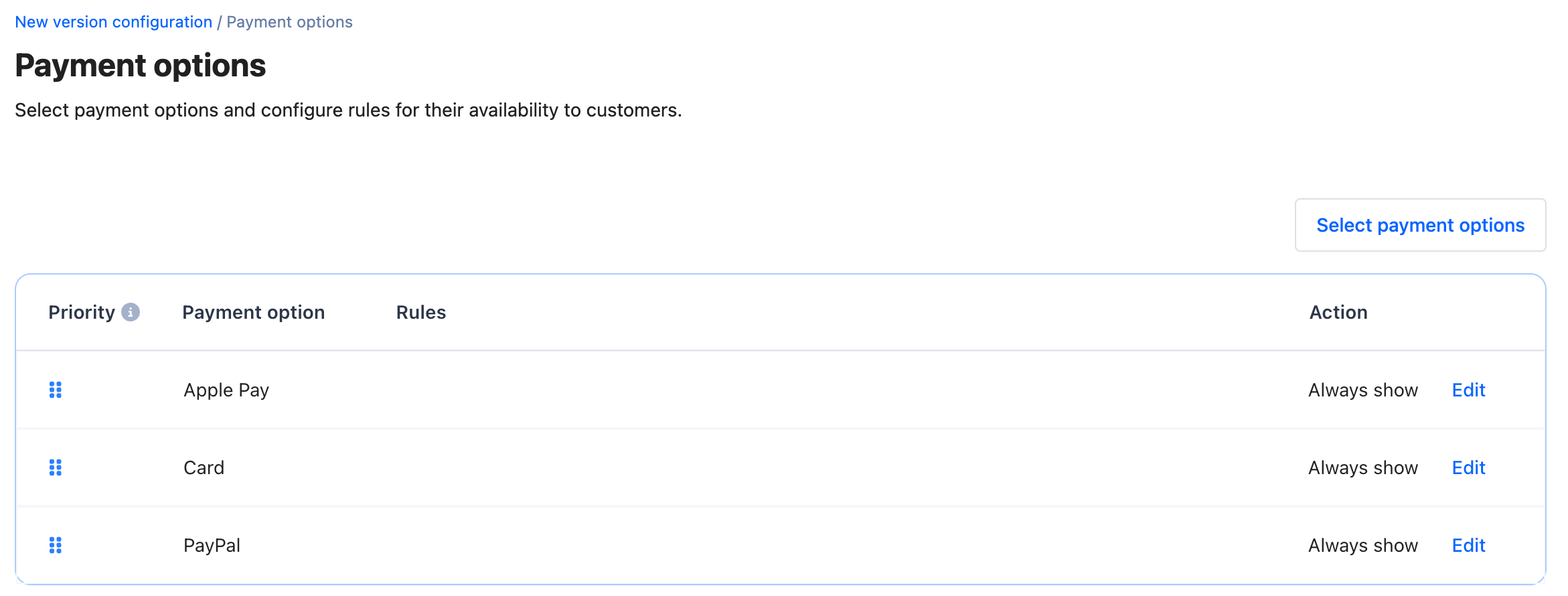
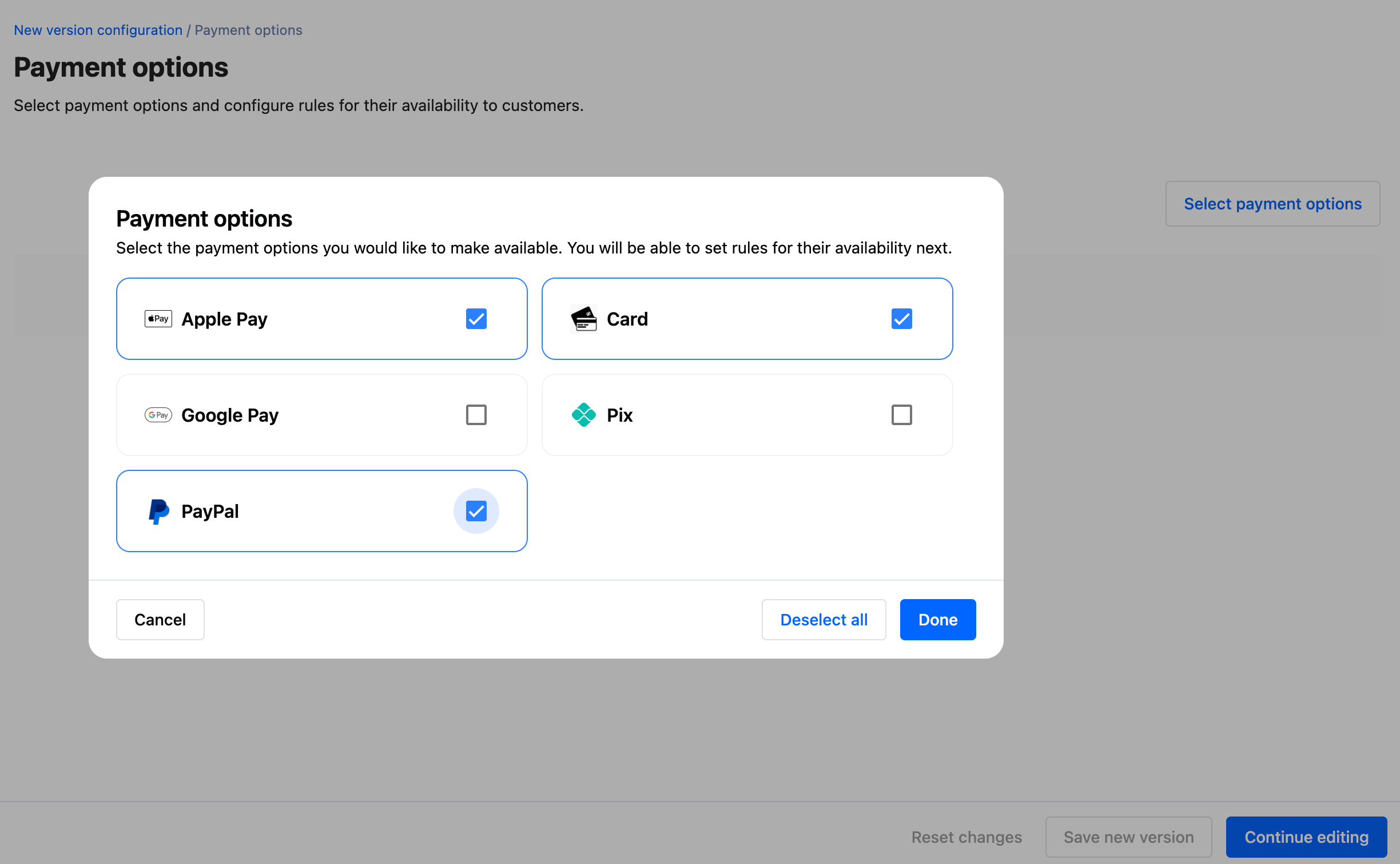 By default, your selected payment options will be marked 'Always show' in the configuration table and be available to every customer.
 ### Add rules
You can configure rules based on any fields related to the authorization request body or workflow execution context. This includes but is not limited to:
* Authorization request body fields
* [Meta fields](/docs/orchestration/payment-acceptance/meta-fields/index)
* Workflow execution context fields, e.g., `Shopper country` or `Order amount`
### Add rules
You can configure rules based on any fields related to the authorization request body or workflow execution context. This includes but is not limited to:
* Authorization request body fields
* [Meta fields](/docs/orchestration/payment-acceptance/meta-fields/index)
* Workflow execution context fields, e.g., `Shopper country` or `Order amount`
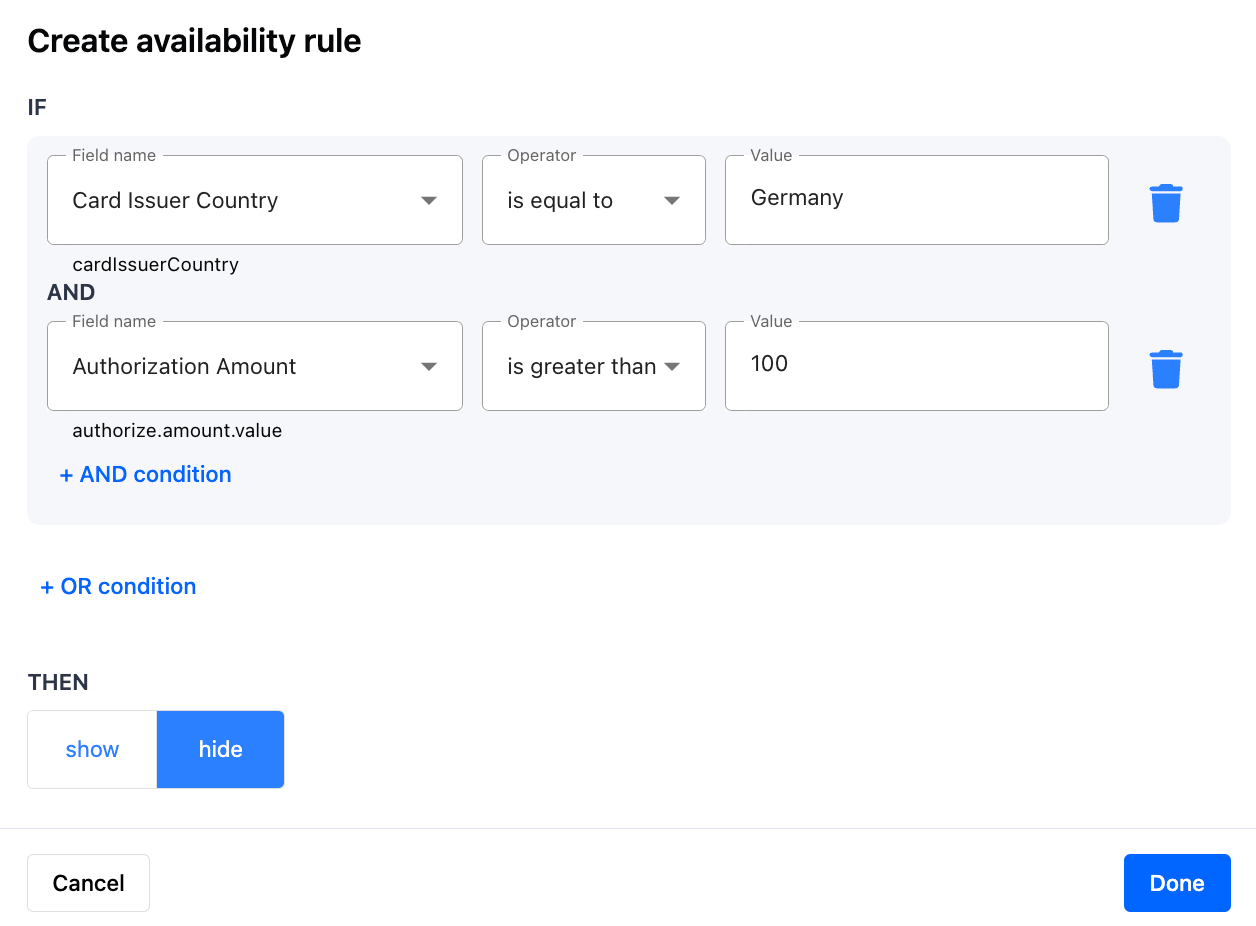
A rule can consist of a single condition, or multiple conditions with AND and OR operators.
* Example: “**IF** user device type is iOS **THEN** show Apple Pay”
* Example: “**IF** shopper country is Germany AND order amount is greater than 25 EUR **THEN** show PayPal”
* Example: “**IF** shopper country is Germany OR shopper country is United States **THEN** show Cards”
Click on Edit in each payment option row to add rules for showing or hiding them under specific conditions.
 ### Set order of payment options on customer checkout
The order of payment options in the configuration table is the order in which available payment options will be shown to your customers on checkout.
### Set order of payment options on customer checkout
The order of payment options in the configuration table is the order in which available payment options will be shown to your customers on checkout.
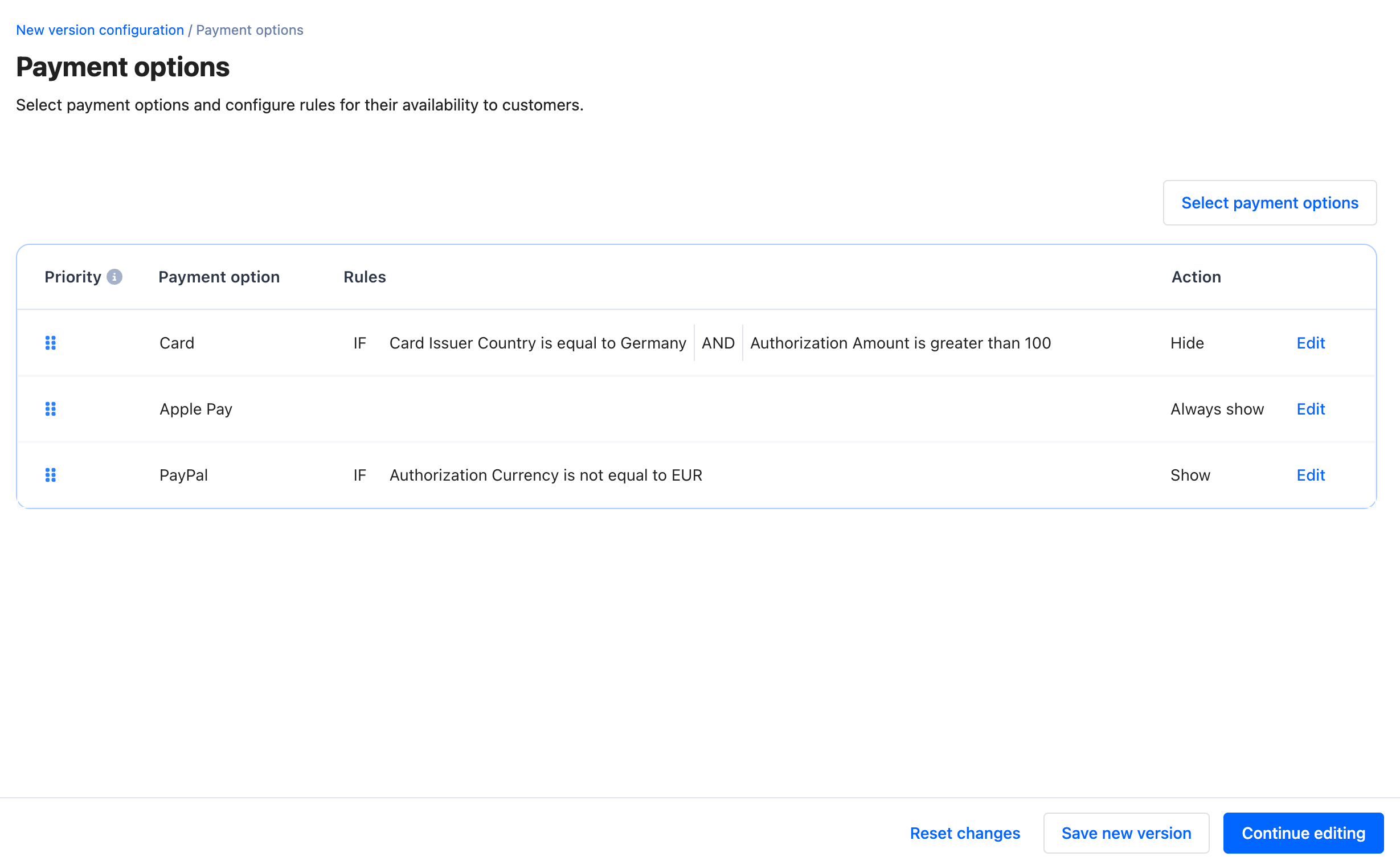 In this example, customers to which all three payment options are shown will see them in this order: Cards, ApplePay, PayPal.
After you finish configuring your changes, you can either “Save a new version” or “Continue editing”. Saving the new version with only Payment options configured will not allow you to set the workflow version as a “Default”. You need to configure both payment options and [routing](/docs/orchestration/workflow-studio/routing) rules for the workflow version to be completed and ready for processing payments.
“Continue editing” will redirect you back to the “New version configuration” page with a label showing that payment options are configured but not yet saved.
## Related topics
- [Payment Options](/docs/overview/payment-options.md)
- [Lookup payment options](/reference/lookupaction.md)
- [iDEAL](/docs/orchestration/payment-methods/ideal.md)
In this example, customers to which all three payment options are shown will see them in this order: Cards, ApplePay, PayPal.
After you finish configuring your changes, you can either “Save a new version” or “Continue editing”. Saving the new version with only Payment options configured will not allow you to set the workflow version as a “Default”. You need to configure both payment options and [routing](/docs/orchestration/workflow-studio/routing) rules for the workflow version to be completed and ready for processing payments.
“Continue editing” will redirect you back to the “New version configuration” page with a label showing that payment options are configured but not yet saved.
## Related topics
- [Payment Options](/docs/overview/payment-options.md)
- [Lookup payment options](/reference/lookupaction.md)
- [iDEAL](/docs/orchestration/payment-methods/ideal.md)