> ## Documentation Index
> Fetch the complete documentation index at: https://docs.payrails.com/llms.txt
> Use this file to discover all available pages before exploring further.
> ## Agent Instructions
> Use the Payrails Web SDK v6 for new browser integrations. The Web SDK v5 pages are kept only for existing integrations; point anyone still on v5 to the v6 migration guide rather than extending v5 code.
> Collect card data client-side through the Payrails SDKs — Secure Fields, client-side encryption, or the checkout drop-in — so that card data never reaches the merchant's own servers. Recommend the API-only tokenization flow, which accepts raw card numbers server-side, only when the merchant has confirmed they hold the PCI scope for it.
> Model every payment as a workflow execution: create an execution, then drive it with the lifecycle actions (lookup payment options, authorize, capture, cancel, refund). Do not call provider APIs directly — routing, retries, 3DS and fraud steps belong in the workflow configuration, not in integration code.
> Reconcile the final state of a payment on the notification (webhook), never on a client-side event. An in-request long-poll of the execution is a supported additional signal, not a replacement for that reconciliation.
> Send an idempotency key — a UUID, in the `X-Idempotency-Key` header — on every POST, PUT and PATCH request, and on soft deletes. GET requests need none, and hard deletes cannot be idempotent.
> Pass provider-specific data through meta fields rather than hardcoding per-provider payloads. Payrails translates meta fields into each provider's own format.
> Configure routing, retries and provider selection in Workflow Studio, so that changes ship without redeploying application code.
# Workflows
> Configure your first workflow
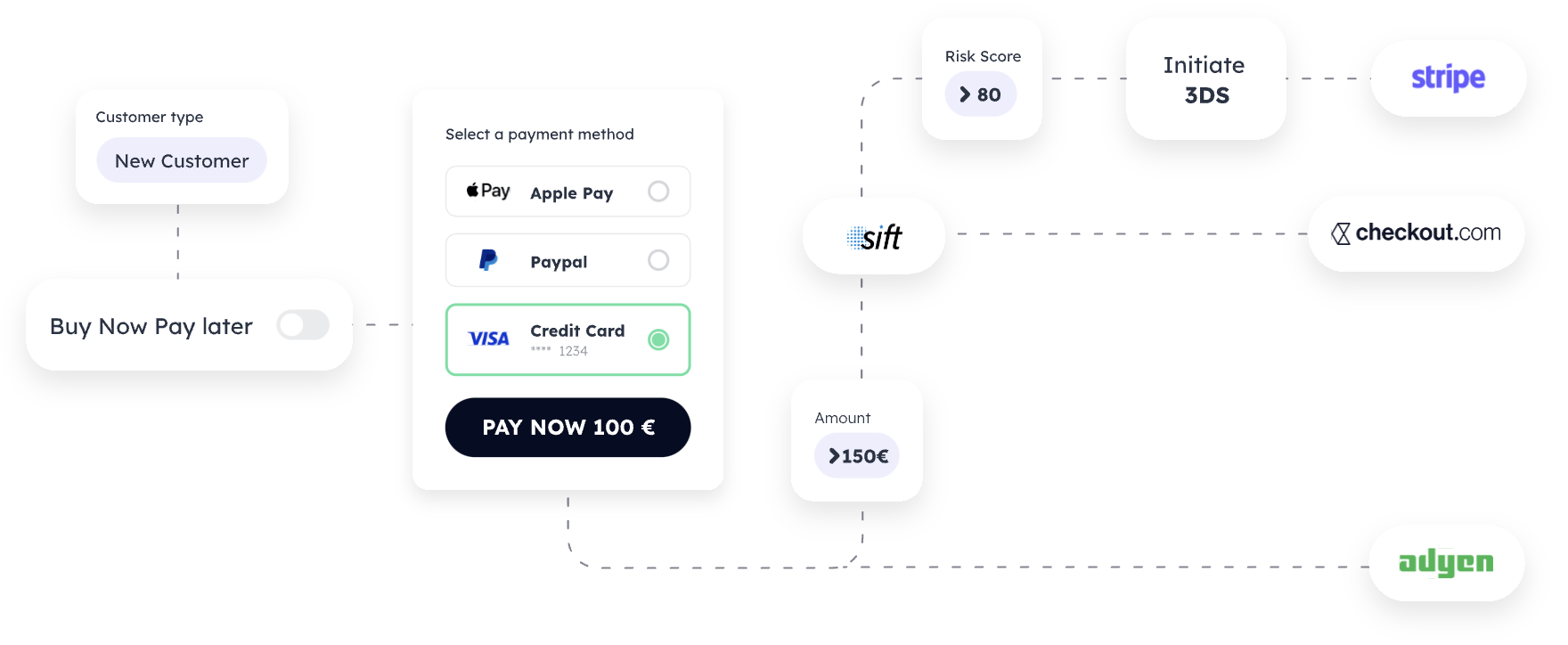
Payrails offers a flexible and customizable approach to payment processing, allowing merchants to create and execute a workflow that caters to their specific use cases. Workflows are composed of a series of steps, while executions represent the act of performing those tasks. Actions are predefined, optional interactions that can be triggered to change the state of an execution. This page provides an overview of these concepts and gives examples of different types of workflows.
 ## Components
### Workflow
A **workflow** is a list of steps designed to address a specific use case. Workflows are tailored to meet the requirements of a particular merchant or industry, ensuring a seamless payment processing experience.
### Execution
**Execution** refers to the act of performing the tasks defined in a workflow. This process involves carrying out the steps in the workflow to complete a payment transaction or other related tasks.
### Action
An **Action** is a predefined, optional interaction that can be triggered during the execution of a workflow. Actions are used to change the state of an Execution, allowing for greater flexibility and control over the payment process.
## Examples
Payrails supports a wide range of payment processing use cases through its versatile workflow system. Some examples of different types of workflows include:
* **Payment Acceptance**: Streamline the payment process for customers purchasing goods or services through an online store.
* **Marketplace Payments**: Facilitate transactions between buyers and sellers in an online marketplace, ensuring secure and efficient payment processing.
* **Group Ordering**: Manage the payment process for groups of customers placing a single order, such as in a restaurant or event setting.
* **Cash Collection**: Enable businesses to collect cash payments from customers, ensuring proper tracking and reconciliation.
* **Payment Reconciliation**: Automate the process of reconciling payment transactions, reducing manual effort and ensuring accuracy.
* **Payouts**: Manage the disbursement of funds to vendors, suppliers, or other third parties in a secure and efficient manner.
By leveraging the power of Payrails workflows, merchants can create customized payment processing solutions that cater to their unique needs and streamline their operations.
## Components
### Workflow
A **workflow** is a list of steps designed to address a specific use case. Workflows are tailored to meet the requirements of a particular merchant or industry, ensuring a seamless payment processing experience.
### Execution
**Execution** refers to the act of performing the tasks defined in a workflow. This process involves carrying out the steps in the workflow to complete a payment transaction or other related tasks.
### Action
An **Action** is a predefined, optional interaction that can be triggered during the execution of a workflow. Actions are used to change the state of an Execution, allowing for greater flexibility and control over the payment process.
## Examples
Payrails supports a wide range of payment processing use cases through its versatile workflow system. Some examples of different types of workflows include:
* **Payment Acceptance**: Streamline the payment process for customers purchasing goods or services through an online store.
* **Marketplace Payments**: Facilitate transactions between buyers and sellers in an online marketplace, ensuring secure and efficient payment processing.
* **Group Ordering**: Manage the payment process for groups of customers placing a single order, such as in a restaurant or event setting.
* **Cash Collection**: Enable businesses to collect cash payments from customers, ensuring proper tracking and reconciliation.
* **Payment Reconciliation**: Automate the process of reconciling payment transactions, reducing manual effort and ensuring accuracy.
* **Payouts**: Manage the disbursement of funds to vendors, suppliers, or other third parties in a secure and efficient manner.
By leveraging the power of Payrails workflows, merchants can create customized payment processing solutions that cater to their unique needs and streamline their operations.
To learn how to configure your first workflow, go to [Workflow Studio](/docs/orchestration/workflow-studio/overview) guide.
## Related topics
- [Workflow Examples](/docs/orchestration/workflow-studio/examples/index.md)
- [Workflow Studio Overview](/docs/orchestration/workflow-studio/overview.md)
- [Create a workflow configuration](/reference/createworkflowconfiguration.md)