

Overview
With Payrails you can configure your own routing rules to make sure that each transaction is processed via the most efficient route, to maximize your acceptance rates. The routing rules are a part of a workflow configuration, together with Payment options. Both steps need to be configured before the workflow version can be used for processing payments. If you are creating an entirely new workflow configuration using “+ New version”, after clicking on Routing you will be redirected to an empty canvas where you can configure the rules. If you are making changes to an existing version using “Edit as new version”, you will see all the routing rules of this version.Routing configuration
Routing configuration consists of two parts:- Authorization settings configuration
- Routing configuration, separately for each payment method you added in Payment options

Authorization settings
To configure authorization settings, simply click on “Authorization settings” in the upper right part. Here you can configure:- capture mode
- cancel mode
- Instrument future usage
Routing rules
Routing rules have to be configured for every payment method separately. To add a routing rule, simply click on “+ Add Routing rule”. As a first step you need to define the default routing - this is the provider to which the payment will be routed if no other rules are configured or no other rules apply.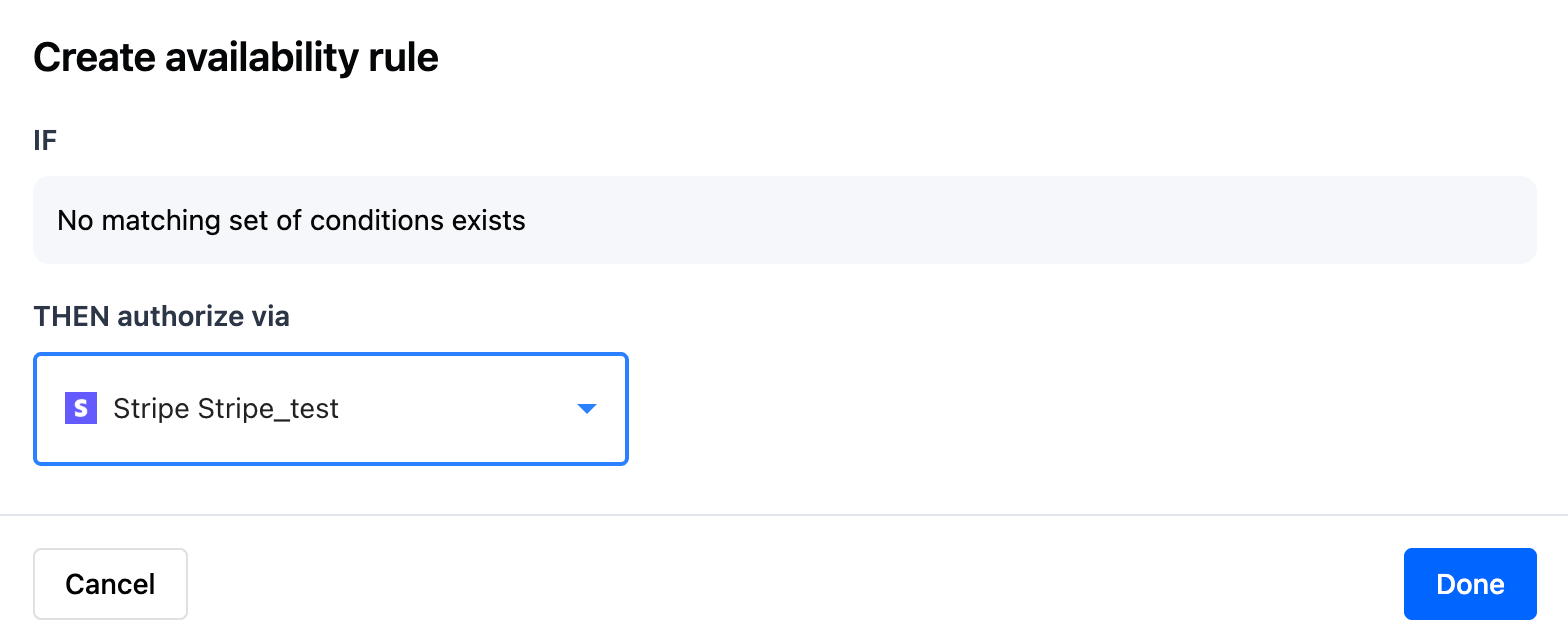
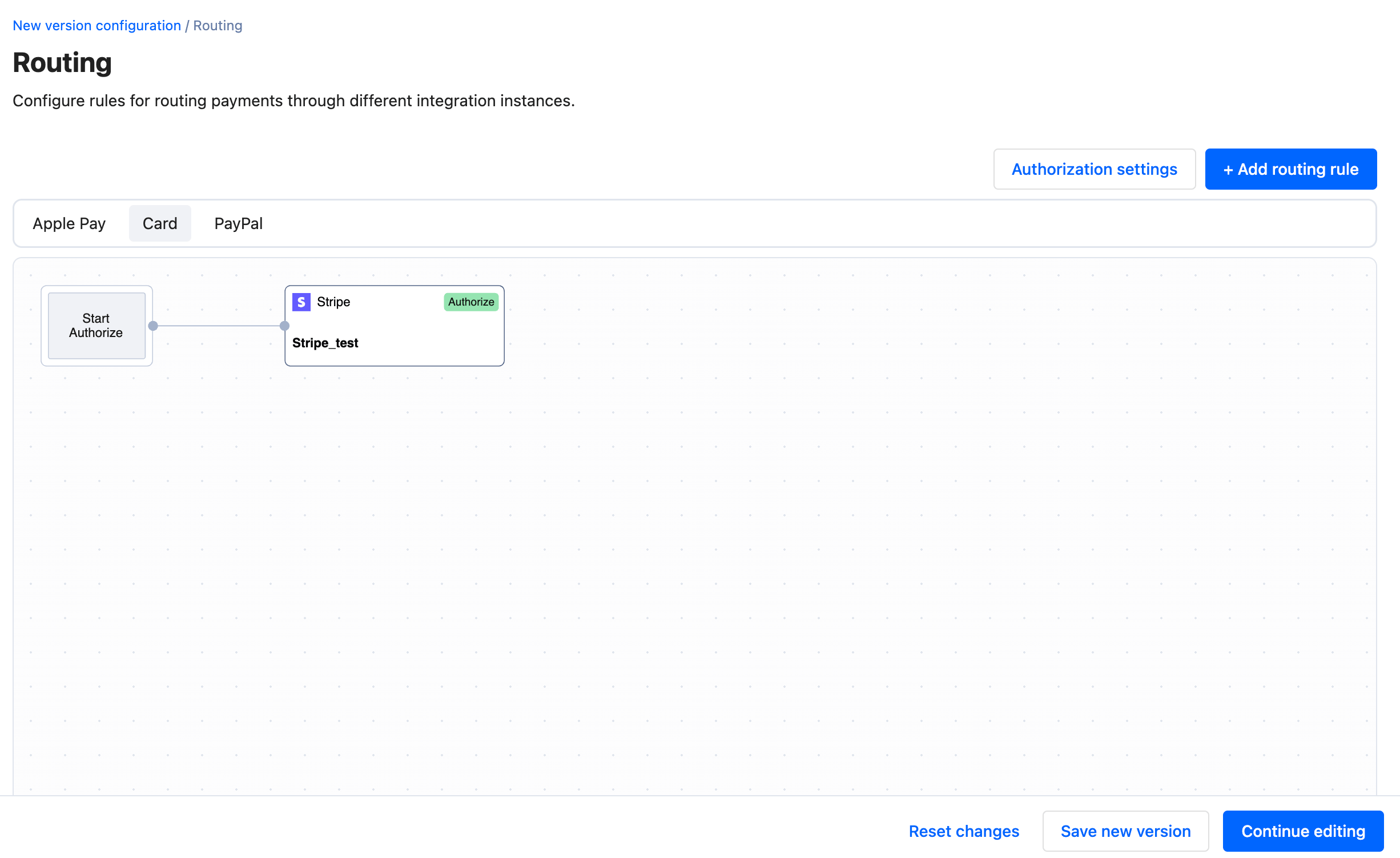
- Example: “IF Card Network is equal to Visa THEN authorize with Adyen”
- Example: “IF Authorization Currency is one of EUR,GBP THEN authorize via Stripe”
- Example: “IF Card Issuer Country is one of AT,DE,CH AND Authorization Currency is equal to EUR THEN authorize via Braintree”
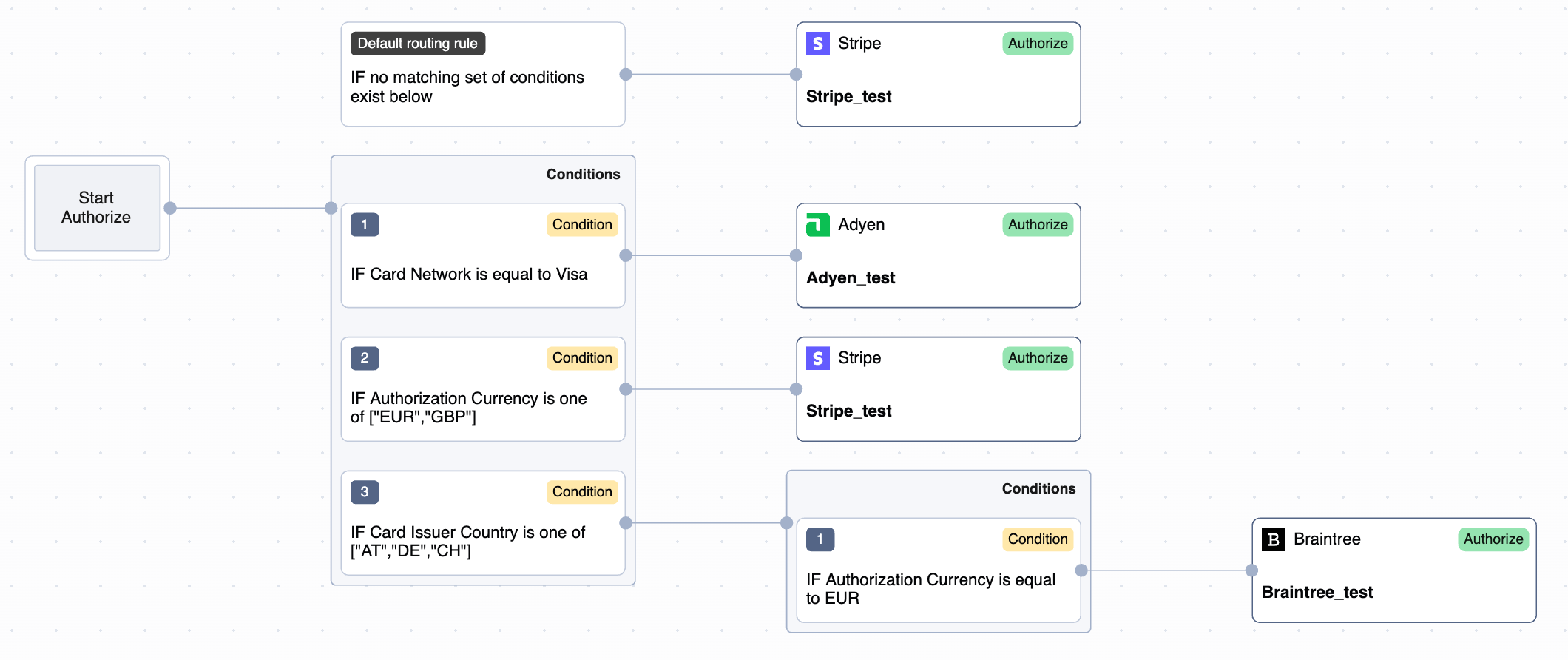
Rules are evaluated in the order of configuration.
 You can configure the Routing rules based on any fields related to the authorization request body or workflow execution context. This includes but is not limited to:
- Authorization request body fields
- Meta fields
- Workflow execution context fields, e.g.,
Card Issuer CountryorCard Network
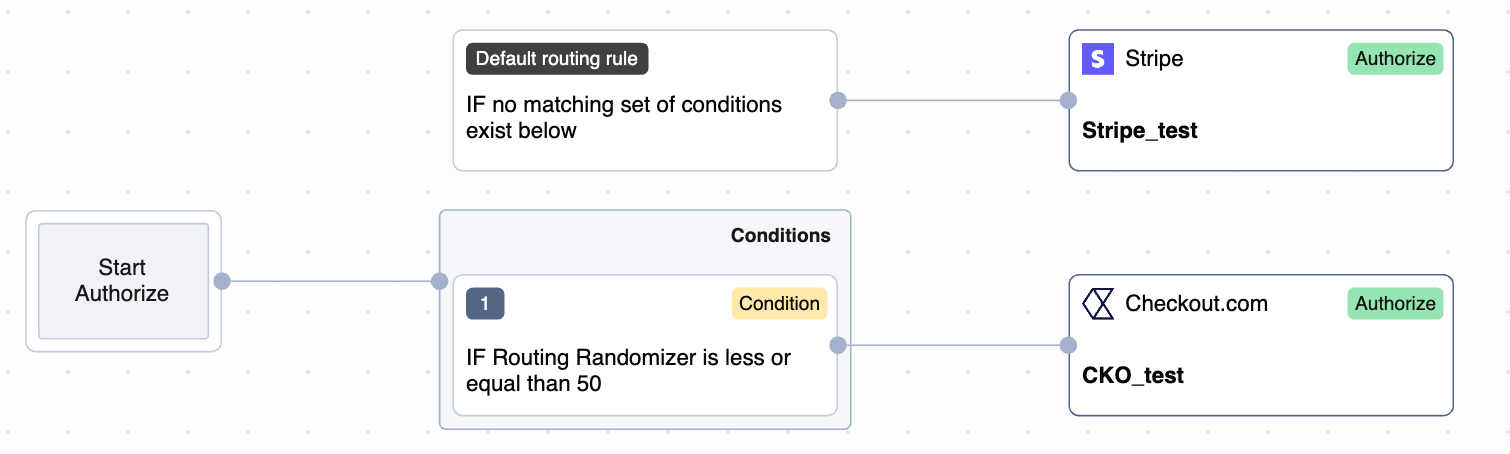
Additionally, Payrails allows you to split the traffic between providers using
Routing Randomizer field and assigning a value between 0-100. In the below example the traffic is split 50/50 between Stripe and Checkout.com.
Retries rules
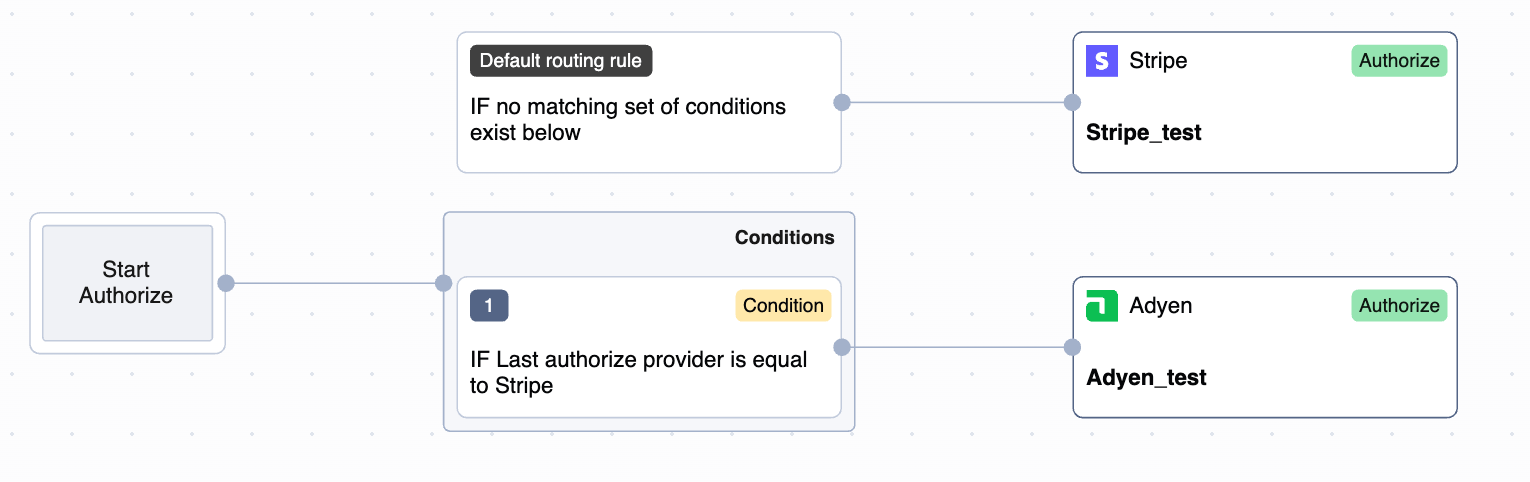
Payrails also supports Retries to automatically retry a failed authorization attempt. Retry rules allow configuring “fallback” providers, to recover failed payment authorizations.To enable Retries, please reach out to your Payrails account manager.
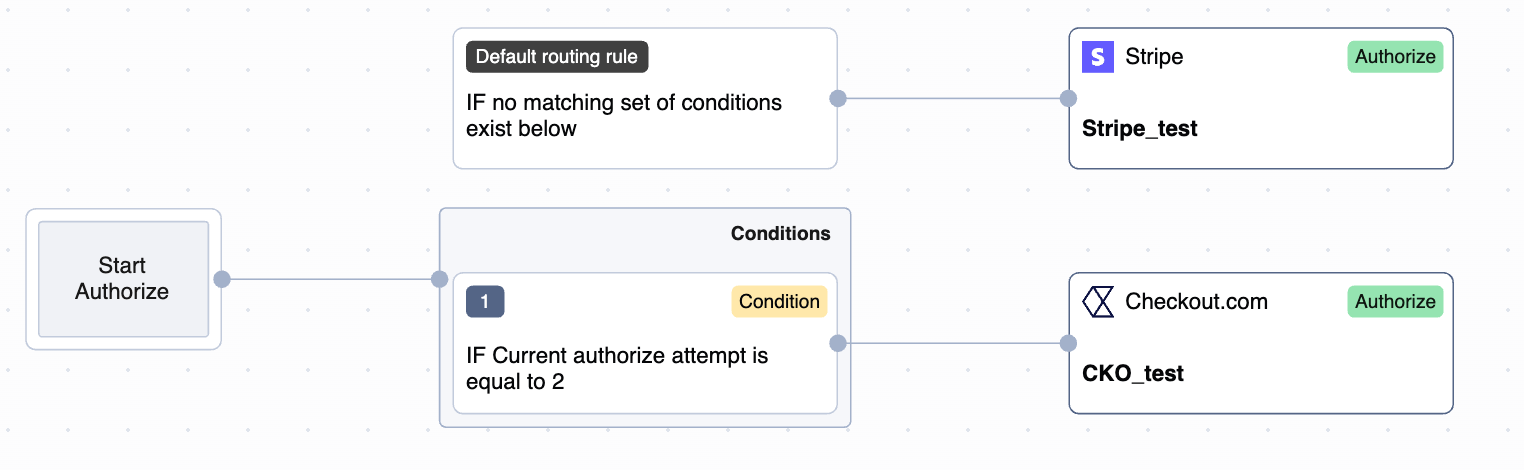
Last authorize providerCurrent authorize attempt
In this example, the second authorization attempt will be processed with Checkout.com, regardless of the provider used for the first authorization attempt.
Tips for routing configuration
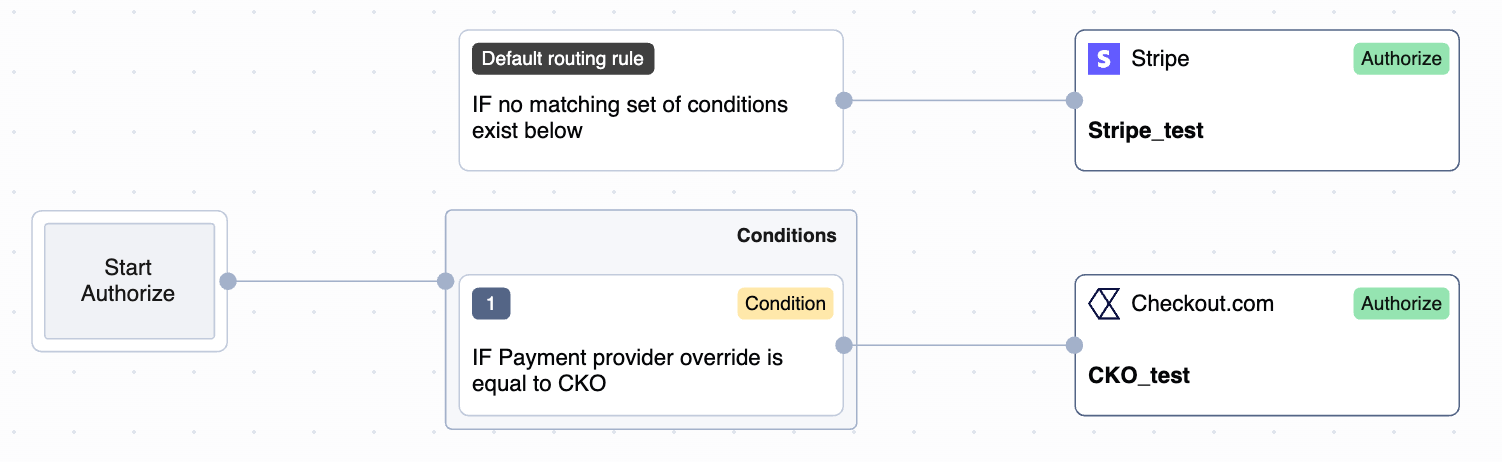
- If you want to use a specific provider for a single authorization attempt, you can override the rules by sending Payment Provider Override in the authorization attempt, and making sure that a related rule is created
- You can create rules based on Customers’ data, for example
Customer country codeorCustomer email - For text values you can use operators like
containsordoes not containas well asstarts withorends with