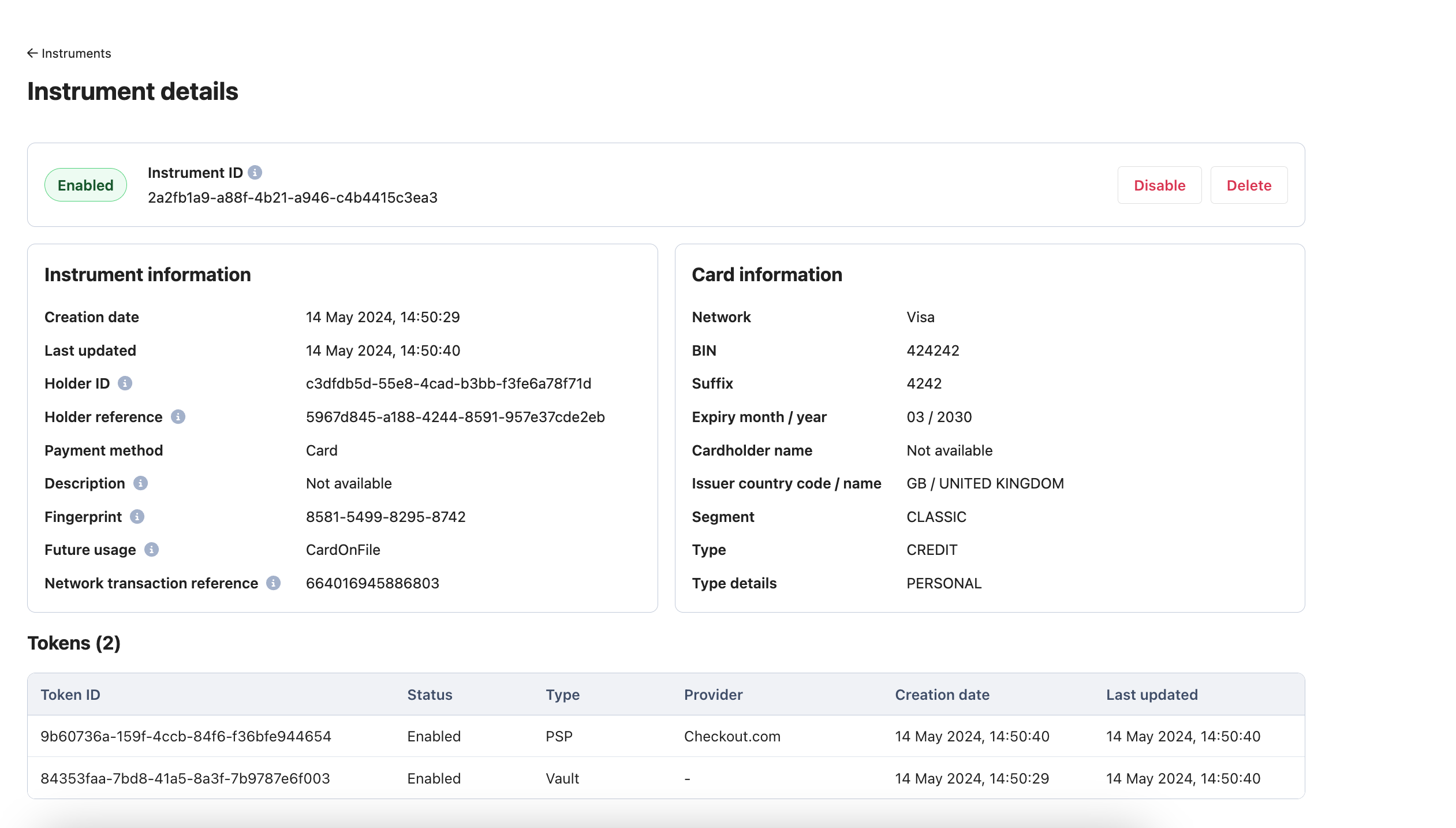
- A Vault token created by default, which is a PSP agnostic token that is stored in Payrails PCI DSS certified Secure Token Vault.
- A PSP token will be created, at the time there is a payment request that is sent to a provider that is configured. This is a provider-specific token that is generated in PSP’s system and stored in Payrails Secure Token Vault. PSP token doesn’t have a limitation for numbers, you can create PSP tokens in as many providers as you wish.
- A Network token will be created, in case it is configured to do so. Network tokens are generated by card schemes during a payment, as well as the network token provisioning process which takes place during the regular payment processing or card storing process.
- If you wish to use Payrails APIs to manage instruments, you will need a Payrails account that is authenticated to Payrails APIs.
- If you wish to use Payrails Portal to manage instruments, you will need a Payrails Portal user account and your login credentials. Once you are inside the Portal, you can proceed to the Instruments page from the left menu.
Review payment instruments and tokens
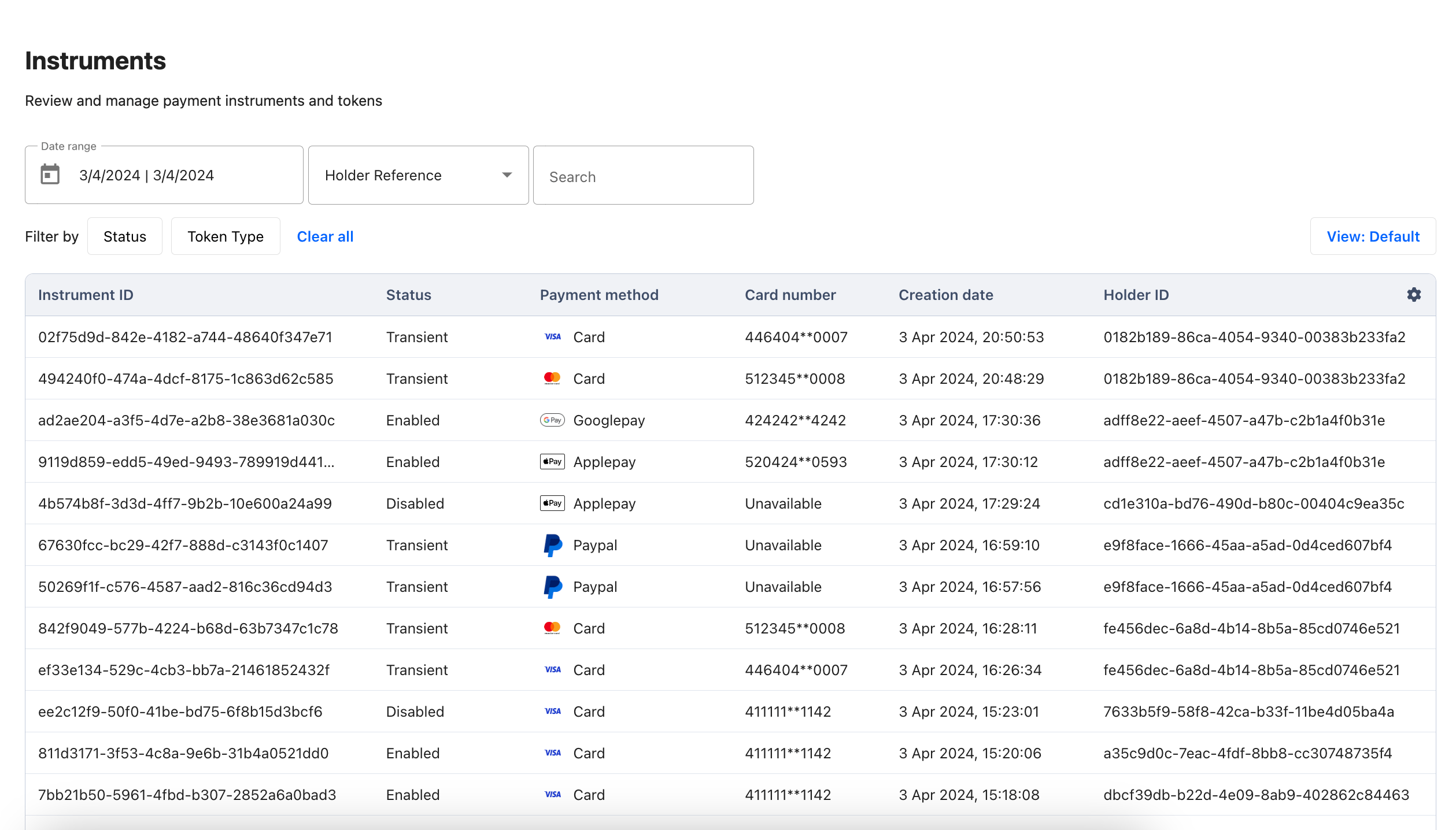
Inside the Portal or via the API, you can fetch any Payment Instrument that has been created. You will also find options to retrieve a particular result, such as retrieving all saved payment instruments of a specific holder, fetching a particular instrument by its ID, and so on. You can simply select the parameter you would like to search the instruments on the Filters in the Portal or call the Search & list instruments endpoint with the relevant filter of your choice.Filtering results by holder reference allows you to display all saved payment instruments for the holder, enabling them to choose the desired payment method for future transactions.
Disable or delete payment instruments
You can temporarily prevent the usage of an Instrument by using Update an instrument API, which allows you to manage scenarios such as increasing safety on behalf of the user in case suspicious activities are detected. You can also permanently remove a payment instrument by using Delete an instrument, which allows customers to remove any saved payment instruments they no longer wish to store for future use. Both actions are also available in Payrails Portal. To see which roles can take those actions, refer to the Roles & Permissions guide.