

- Drop-in: an all-in-one payment form to accept payments on your website.
- Elements: modular payment UI components you can assemble to build a modular payment form.
- Secure fields: secure input fields for PCI-compliant cardholder data collection.
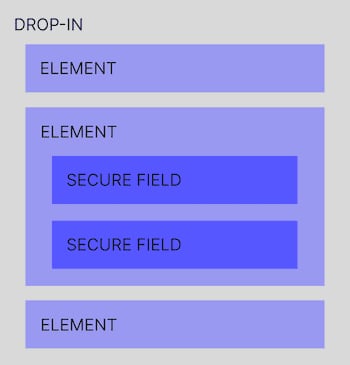
Get started with the SDK
Regardless of which SDK components you want, it starts with the same initialization process.The Payrails SDK requires a secure context (HTTPS). If testing locally, ensure
your development server uses HTTPS.
Include the SDK
You can install the SDK with your favorite package manager (e.g.,npm):
JavaScript
iOS
React Native
Initialize the SDK
Use theinit() method to initialize a Payrails client as shown below, with configuration:
JavaScript
iOS
React Native
Example authorization flow
Here’s a simple authorization flow with the surface covered by the SDK:
Example for web
Learn more
After the SDK is initialized, you can leverage the SDK features to customize the user experience:- custom field validation and errors
- subscribe and react to events happening inside the form
- customize the style with JSS
- save your tokenized card and get a payment instrument for future references
Payment amount update
Our SDK supports the possibility of updating the amount. To achieve that, 2 things have to be done:- Merchant backend must call the lookup action on the execution used for that payment session.
- Merchant client has to update the SDK with the new amount. Moreover, if installments are enabled, the merchant client must also update the installment configuration along with the amount.
JavaScript
401 HTTP error.
Refresh Client Session
Our SDK allows merchants to pass the function which contains their implementation of client init as part of theonSessionExpired event. This then can be used to automatically reinitialize the client when the client session is expired instead of merchants having to do this themselves.
Example:
BIN lookup
Our SDK supports using our BIN lookup service to fetch card information. This feature is not enabled by default, so please reach out to your account manager to enable. Example:JavaScript
Example on how to allow only credit cards
Installment payments for cards in MX and BR
In certain countries or regions, it’s common for shoppers to pay for purchases in installments using credit cards. This allows them to receive their items right away while spreading the cost over multiple months. The installment payments are automatically charged to the shopper’s credit card every 30 days until the full balance is settled. Our SDK supports collecting installment plan information from the end-user and passing it through to downstream processors. Please contact us if you would like to enable this feature.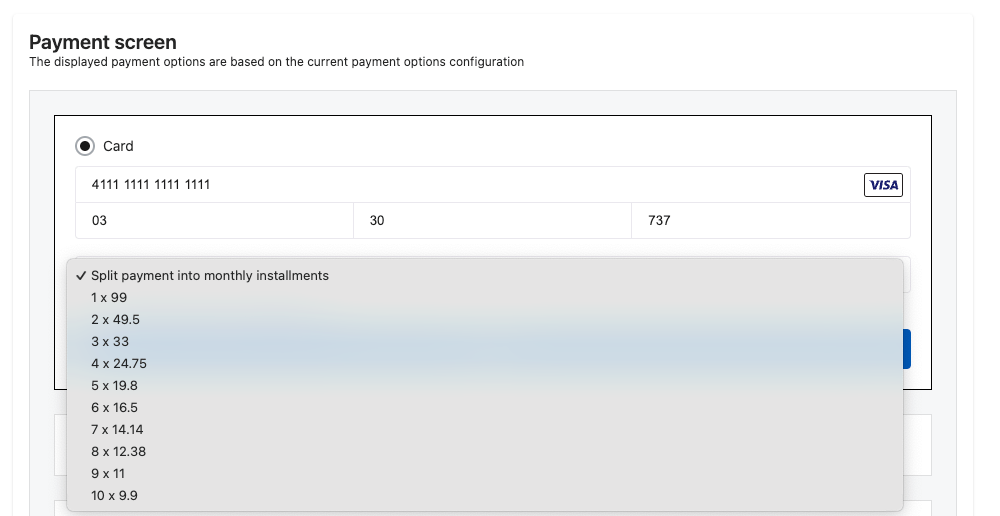
Config options for installments dropdown
Accept Customer Address
With dropin it is possible to show address component to the end user. You can use it for collecting billing address which may be needed to tax purposes. Please contact us if you would like to enable this feature.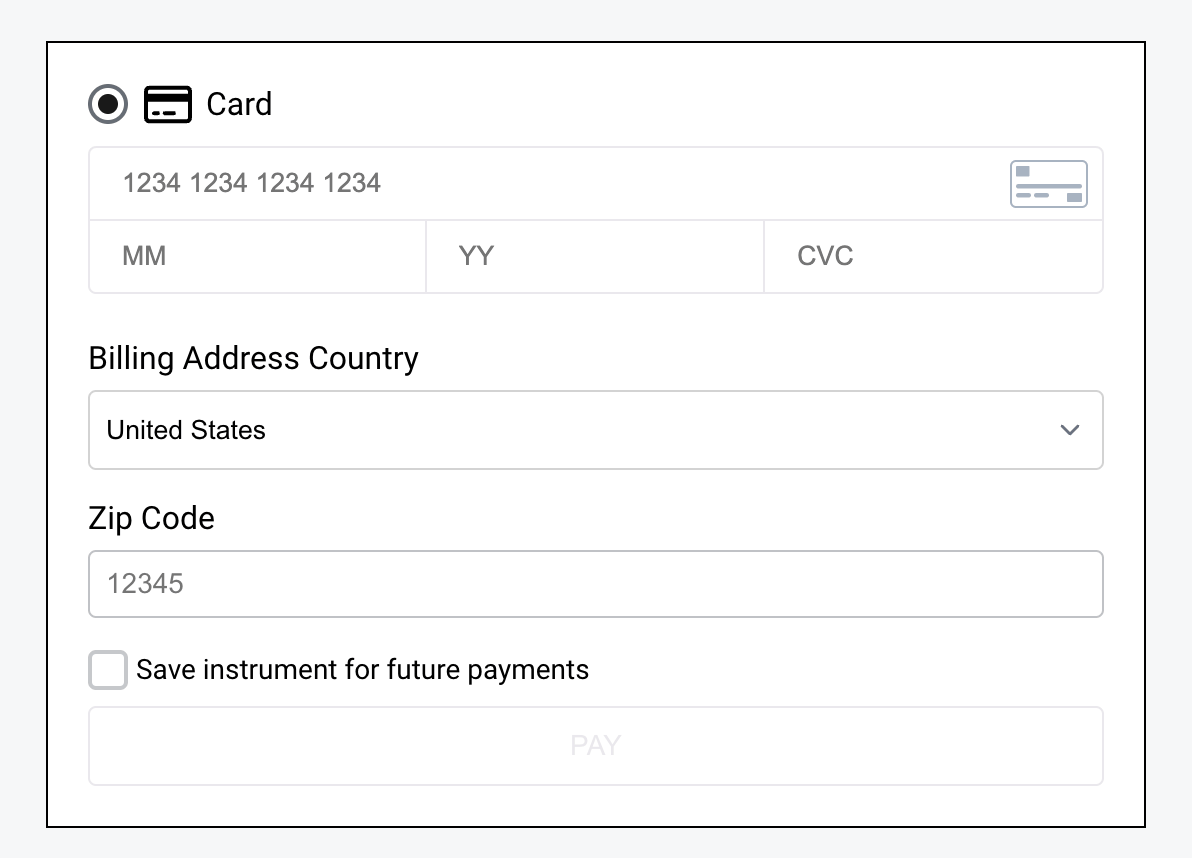
Example code for billing address config
Performance optimizations
- Preloading all card form assets before users reach the payment page is possible. This could improve the end-user experience, as secure fields will appear on the page instantly.
- The browser will de-prioritize these assets and not slow down the page load, which will not hurt the user experience.
- You can check how preload works on MDN