

Overview
To process payments with Payrails, first you need to configure your workflow. Each workflow consists of Payment options step and a Routing step (optionally also a Retry step)Organization and workspaces
Your Payrails account is divided into organization and workspaces contexts, with workflow configurations available within each workspace.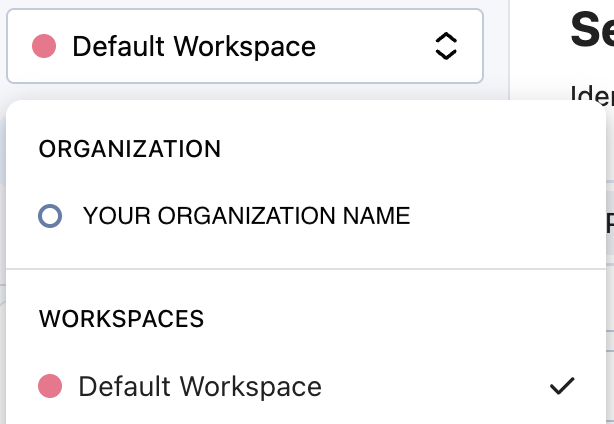
Workflow version
To access the workflow version page, log in to the Payrails Portal, choose your workspace, and click the Workflows → Payment Acceptance menu item in the sidebar. The workflow versions page will show you a history of workflow versions, with the version used for all new workflow executions marked as “Default” at the top.When a new workspace is created, a new empty version of the payment acceptance workflow is also automatically created - a version 1.
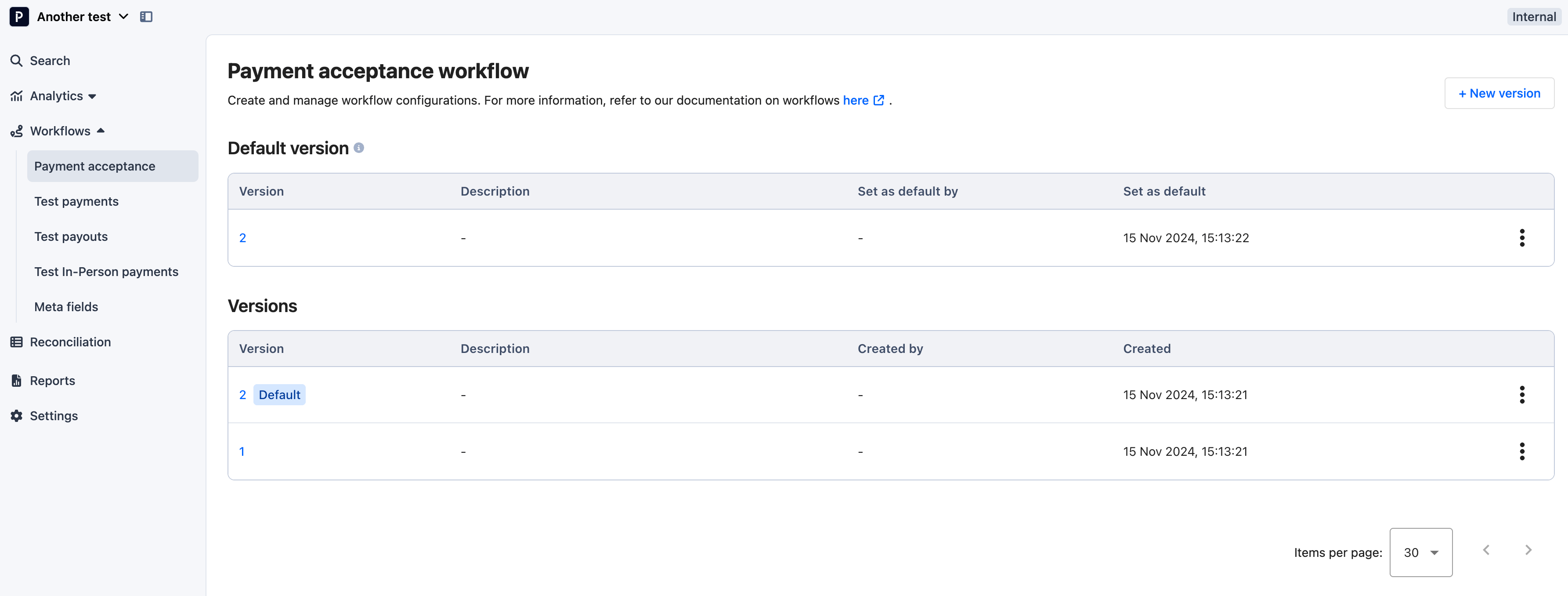
- use the “+ New version” option whenever you want to create a new configuration starting from the scratch, without any previously configured steps
- use “Edit as new version” if you want to configure a new version base of the already existing configuration. It will copy the settings and allow you to make minor (or big) changes.
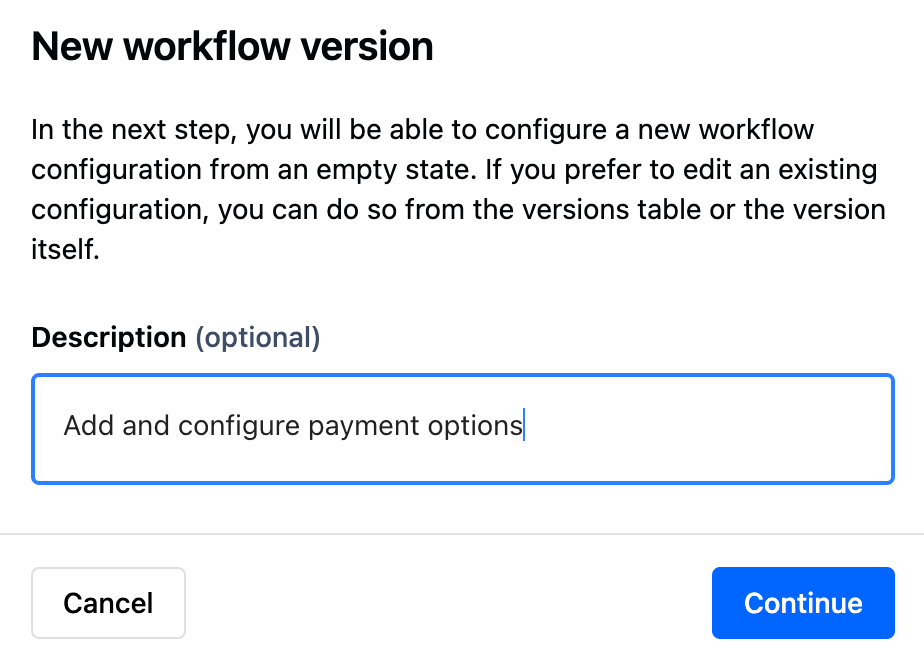
Next steps
Once you’ve added your Description, you will see a “New version configuration” page, where you can start configuring your Payment options or Routing rules. Each step will be labeled as:- “Required for payment execution” - if it has not been yet configured (for example, if you configure an entirely new version using “+ New version”)
- “Unsaved changes” - if you added or updated your configuration but haven’t saved it yet
- “Configured” - if the changes have been added and saved or if you are starting your configuration from an existing version using “Edit as new version”