

What Payment Links are
A Payment Link is a shareable URL that opens a Payrails-hosted payment page. You create the link from your backend or from the Payrails Portal, share it with your customer through any channel, and Payrails handles the payment page, the processing, and PCI compliance. No frontend integration is required, and your customer does not need an account or an app. The link opens in any browser.In the Payrails API reference, this resource is called a drop-in link, and the
endpoints live under
/merchant/dropInLinks.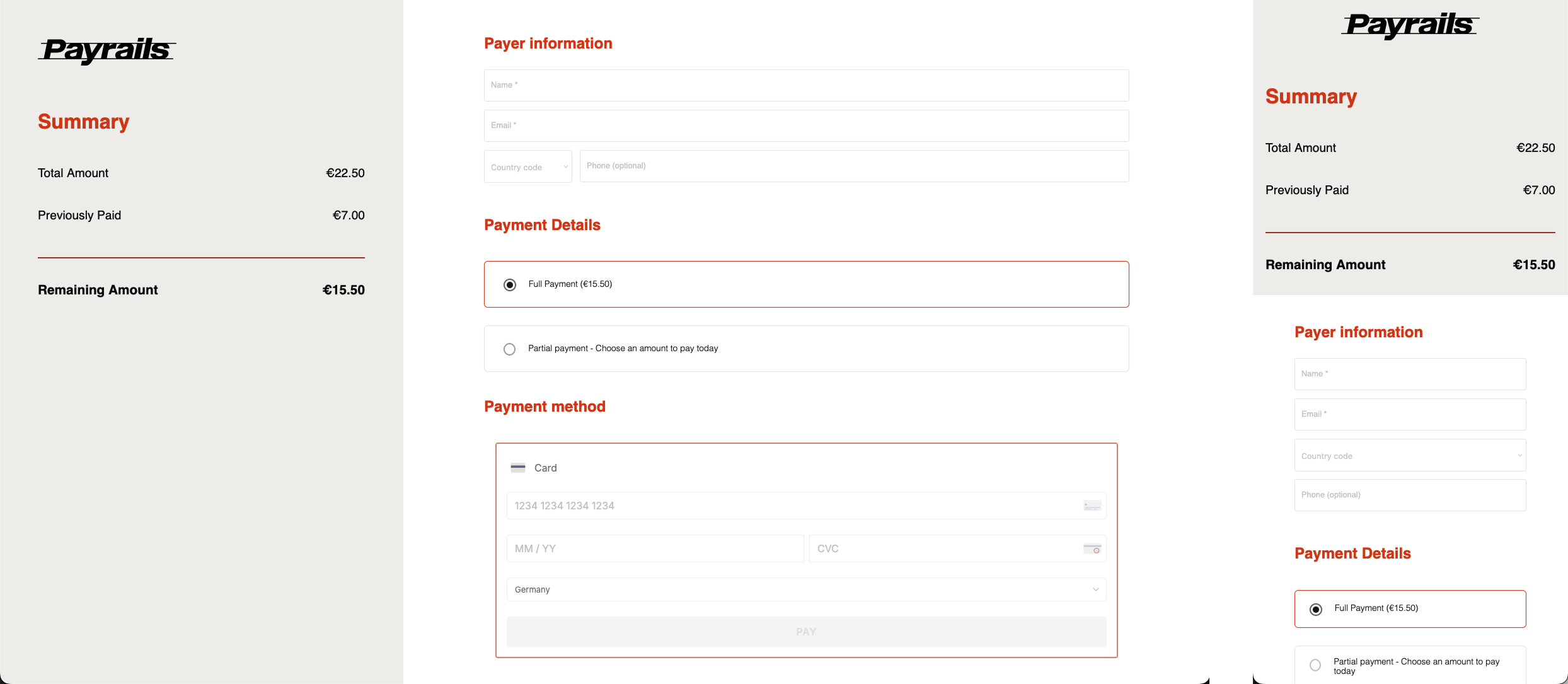
When to use Payment Links
Use Payment Links when payment happens outside your main checkout flow:- An agent or support team member collects payment during a call or a chat
- You request payment after an order, a booking, or a service interaction
- You collect a deposit, an installment, or the balance of an invoice
- Several people need to contribute towards one total
- You want to start accepting payments without building a checkout integration first
Payment Links compared with Payrails SDK solutions
What you get
Before you start
Payment Links is enabled and configured per merchant account rather than self-serve. Agree on the following with your Payrails contact before going live.What to prepare on your side
- API credentials for the test environment
- The workflow code used for payment acceptance
- An HTTPS webhook endpoint that accepts POST requests and acknowledges quickly
- A merchant reference scheme you can reconcile against, such as an invoice or order number
Test and live environments
Test and live environments are isolated:- Webhooks are configured separately for each environment
- A link created in test cannot be used in production
- Validate the full lifecycle in test, including a webhook you have actually received and processed, before enabling live
Next steps
- How it works—the lifecycle, link statuses, and who is responsible for what
- Create a payment link—your first link in test