
Stripe
This guide will help you generate the necessary API credentials and connect Stripe as a data source in Payrails to ingest financial reports and transaction data. With the self-serve flow you configure the integration yourself in the Payrails portal.
Prerequisites
- A Stripe account with Administrator or Developer permissions
- Access to the Stripe Dashboard
Overview
To ensure we can ingest data for both your production and testing environments, you will need to generate two separate API keys:
- One for Live Mode (production)
- One for Test Mode (sandbox)
We recommend using Restricted API Keys for both. This follows security best practices by limiting our access strictly to the reporting data we need.
Step-by-step instructions
Step 1: Generate your Live Mode Key
-
Log into your Stripe Dashboard
-
Ensure the Test mode toggle (usually in the top-right or top-left corner) is OFF

-
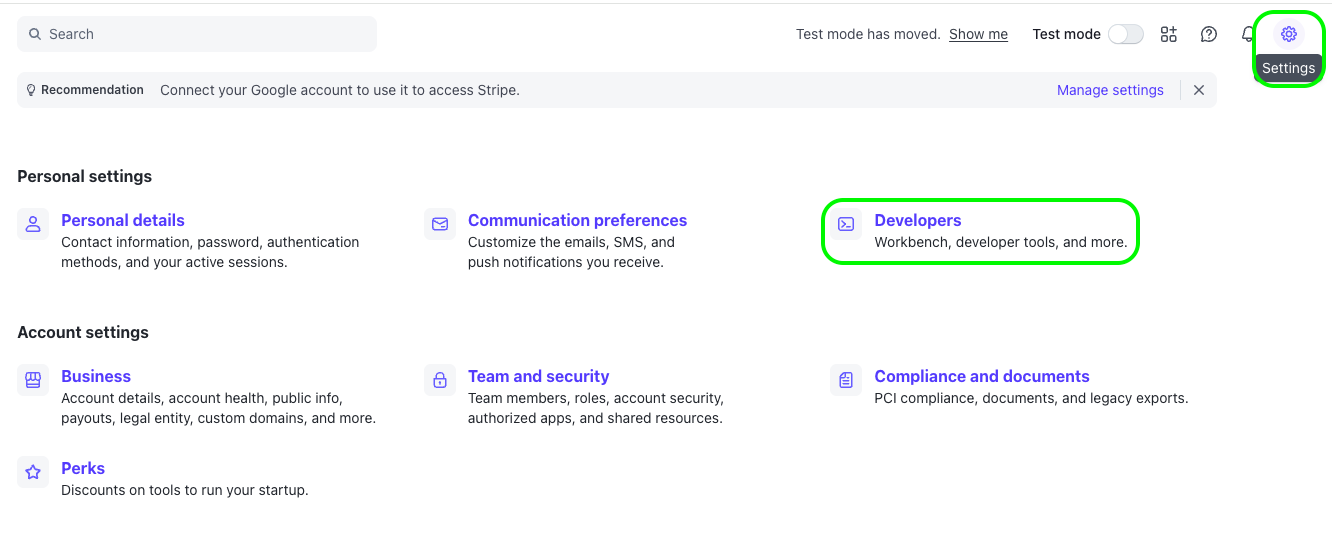
Navigate to Developers > API keys
-
Under the "Restricted keys" section, click Create restricted key
- Note: Do not use the "Secret key" unless specifically required
-
Name the key:
Payrails Live Reporting -
Under the Permissions section, configure the following access:
- Core - Read:
- Balance (balance_read) — Required to retrieve the account balance snapshot
- Balance Transaction Sources (balance_transaction_source_read) — Required to retrieve the balance transaction ledger that drives settlement and fee reporting
- Charges and Refunds (charge_read) — Required to retrieve charge and refund objects so transaction-level fees resolve back to their originating payment
- Customers (customer_read) — Required to retrieve Customer objects referenced by payments
- Events (event_read) — Required for freshness and drift detection across Stripe state changes
- Files (file_read) — Required to download the generated report files
- Payment Disputes (dispute_read) — Required to enrich chargeback reporting with dispute reasons, evidence due dates, and timeline
- Payment Intents (payment_intent_read) — Required to retrieve PaymentIntent objects and link payments to Payrails metadata
- Payouts (payout_read) — Required for payout-level reconciliation: arrival date, status, failure reason, destination
- Setup Intents (setup_intent_read) — Required to retrieve SetupIntent objects for stored-card flows
- Reporting - Write:
- Financial Reports (report_runs_and_report_types_write) — Required to generate new reports on your behalf
- Core - Read:
-
Click Create key
-
Complete the 2FA verification if prompted
-
Copy the key (it will start with
rk_live_...) and store it securely. You will not be able to view it again
Step 2: Generate your Sandbox (Test Mode) Key
-
In the Stripe Dashboard, switch the Test mode toggle to ON

-
Navigate to Developers > API keys
-
Under the "Restricted keys" section, click Create restricted key
-
Name the key:
Payrails Sandbox Reporting -
Configure the same permissions as the Live key (see above)
-
Click Create key
-
Copy the key (it will start with
rk_test_...) and store it securely
Step 3: Add the Stripe integration in the Payrails portal (self-serve)
- Log in to the Payrails dashboard and open Settings → Integrations → Data.
- Click Add instance (top-right).
- In New instance, select provider: Stripe and click Continue.
- On the Configure account screen, fill in:
- Integration instance name — a unique label.
- Start Date — the date of today or tomorrow (currently we can not backfill over the sel-serve capability. In the need of backfilling, please reach out to your Payrails account manager).
- Is Live — enable for the Live key; leave off for the Test/Sandbox key.
- API key — the restricted key:
rk_live_...for production,rk_test_...for sandbox. Create a separate instance for each environment. - (Optional) Additional data.
- Click Save account. The instance appears in the Data integrations list and Payrails begins ingesting data.
Updated about 1 month ago